🦞

OpenClaw Masterclass

Most AI setups are chatbots with a nice UI. This is an autonomous business operations system — agents that outreach, build, deliver, and retain clients while you sleep.

Start building

What is OpenClaw?

An open-source AI assistant platform that’s one of the fastest-growing projects on GitHub. But the docs focus on features. This masterclass focuses on what you can do with it.

261K
GitHub Stars
59
Releases (2 months)
16.8K
Commits

Why this tutorial is different

OpenClaw moves fast — 59 releases in the last two months. The official docs cover installation, APIs, and configuration. This masterclass skips all of that. Instead, it shows you how to wire OpenClaw into a real business operations system: outreach agents, meeting prep, competitor intelligence, autonomous builds, and retention workflows. Every prompt maps to a business problem, not a feature demo.

🦞 github.com/openclaw/openclaw →

What’s Covered

24 chapters. 15+ copy-paste prompts. 9 Pro Moves with real community proof. From first install to live browser control.

CHAPTERS 1–3
Install, Config & Token Optimization
Get OpenClaw running. Set up sub-agents. Cut your monthly AI spend from $150 to $10 with the 8-layer stack.
CHAPTER 4
Security
17K+ exposed instances. Two zero-days. Hardening guide that stops 80% of attacks in 15 minutes.
CHAPTERS 5–8
Business Brain (3 Levels) & Memory
Three levels of context that turn a chatbot into your domain expert. Plus the memory architecture that prevents context decay.
CHAPTERS 9–11
Dashboard, Integrations & Kanban
Mission control dashboard, GitHub + browser + email wiring, skills ecosystem, and a full task management board.
CHAPTERS 12–13
Builder/Orchestrator/Executor & Ops Loop
The framework that changed everything. Three roles, seven business stages, zero gaps.
CHAPTERS 14–17
AI Employees
Meeting intelligence, AI SDR & email engine, voice AI phone agent, and a Typeform clone with webhooks.
CHAPTERS 18–22
Multi-Agent, Council & Automations
Agent-to-agent orchestration, Discord comms, Agent Council debates, the 8-phase pipeline, and scheduled cron jobs.
CHAPTER 23
Claude Alley — Agent-to-Agent Commerce
The grand finale: AI agents transacting with other AI agents in real time. Real crypto, real blockchain, real money on-chain. The future of agent-to-agent commerce.

Built by Mani Kanasani

From $200K+ CTO to running an AI agency. Not theory — production systems behind real revenue.

👤

The Builder

MS Cybersecurity. Ex-CTO. Built and shipped AI systems that close $132K deals, prep for 350+ discovery calls, and run 5 automations daily — all autonomously.

Vancouver, BC
🎥

YouTube

Deep dives into AI agent architecture, live builds, and the systems behind Vertical Systems. No fluff. Just builds.

Subscribe
🚀

Agents in a Box

The community where this masterclass lives. Courses, live builds, weekly hackathons, and the full ClawBuddy kit.

Join Free
💼

LinkedIn

Connect for AI agency insights, behind-the-scenes builds, and the journey from CTO to autonomous operations.

Connect

Everything below is free. All of it.

15+ copy-paste prompts. 23 chapters. 8 Pro Moves. A full autonomous agent office you can build today.

Start Building ↓
23
Chapters
15+
Prompt Pages
8
Pro Moves
5+
AI Employees
Chapters 1–3

Installation, Config & Token Optimization
Installation & Setup

Get OpenClaw Running

Install locally or on a VPS. Follow the official guide end-to-end, then confirm your first successful connection. This is your foundation — everything else builds on top of a clean install.

🦞 Install Guide

OpenClaw.ai

Official install guide. Follow the steps to get OpenClaw running on your machine or server.

🖥

Mac Mini vs VPS — Where Should You Run OpenClaw?

Before you install, you need to decide where this thing is going to live. Both work for the entire course — here’s how to choose.

🟢 Mac Mini
COST        One-time ~$600–800
SPEED       Instant local access
PRIVACY     Data stays on your hardware
ALWAYS ON   Needs energy settings
REMOTE      Needs Tailscale
BEST FOR    Privacy-first, full control
☁️ VPS (Cloud Server)
COST        $5–50/month
SPEED       Some latency
PRIVACY     Data on someone else’s server
ALWAYS ON   24/7 by default
REMOTE      SSH from anywhere
BEST FOR    Quick start, no hardware
JUST STARTING OUT?   → VPS ($5–20/month)
SERIOUS ABOUT THIS? → Mac Mini (one-time ~$600–800)
BOTH WORK.           → Everything in this course applies to both.

Mani’s setup: Two Mac Minis — one for production, one for testing. But he started on a VPS. Don’t let hardware stop you — pick one and keep going. When we get to Chapter 4 (Security), you’ll see why data privacy matters.

Install Walkthrough

Install Walkthrough

Step-by-step video guide for first-time setup
Token Optimization

Token Optimization

Save money by configuring smart model routing

The 8-Layer Token Optimization Stack

Go from $150/month to $10/month — 8 optimizations that stack together. Thinking mode, context caps, model routing, prompt caching, Ollama heartbeats, and more. Full configs included.

⚠️

Config Gotcha — Subagents & Token Savings

OpenClaw has a habit of breaking when you ask it to make config changes to openclaw.json. It hallucinates field names, over-configures, and introduces syntax errors. The fix? Don’t ask it to figure it out. Paste the directions as a prompt.

The subagent config below saves tokens by routing sub-tasks to cheaper models. Copy this entire block and paste it as your prompt when setting up subagents:

// Paste this as your prompt — don’t ask OpenClaw to “figure it out”
Step 1: Define the agent in agents.list[] — minimal config only
Add only the required id field. Don’t pile on optional overrides yet.
{
  "agents": {
    "list": [{ "id": "researcher" }]
  }
}
Step 2: Let agents.defaults handle the baseline
The defaults object applies to all agents. Only add per-agent overrides when actually needed.
Step 3: Whitelist subagent spawning with allowAgents
{
  "id": "orchestrator",
  "subagents": {
    "allowAgents": ["researcher", "coder"]
  }
}
Use ["*"] to allow any agent, or list specific IDs.
Step 4: Set cheaper model for subagents
{
  "id": "researcher",
  "subagents": {
    "model": "anthropic/claude-sonnet-4"
  }
}
Resolution order: explicit spawn param → per-agent config → target agent’s default.
Step 5: Cap concurrency to prevent runaway spawning
{
  "agents": {
    "defaults": {
      "maxConcurrent": 4,
      "subagents": { "maxConcurrent": 8 }
    }
  }
}
Step 6: Scope tool access
{
  "tools": {
    "subagents": {
      "tools": {
        "allow": ["read", "exec", "process",
                   "write", "edit", "apply_patch"]
      }
    }
  }
}
Deny always wins over allow. Custom deny entries stack with defaults.
Common Failure Traps:
  • Legacy agent.* (singular) keys — run openclaw doctor to auto-migrate
  • Old env vars (CLAWDBOT_TOKEN, MOLTBOT_API_KEY) — replace with OPENCLAW_TOKEN
  • Subagents only get AGENTS.md + TOOLS.md — not your main agent’s personality files
  • Auth profiles are merged as fallback — fully isolated auth per subagent is not supported yet
Validation Workflow: Add config → openclaw doctor/subagents to inspect → test locally before 24/7 mode

💡 This pattern saved us from 3 consecutive config failures. Paste the steps — don’t describe them.

⚡ Pro Move #1

Real-World Cost Breakdown — $60/Month for a Full Agent

The 8-layer stack isn’t theory. A community member broke down his entire monthly spend running a fully autonomous agent 24/7.

REAL MONTHLY COST BREAKDOWN
SETUP:          Claude Opus          ~$40 one-time
DAILY BRAIN:    Kimi 2.5 (Nvidia)     FREE
HEARTBEAT:      Claude Haiku          <$1/month
CODING:         DeepSeek Coder v2    ~$20/month
VOICE:          OpenAI Whisper        ~$3/month
IMAGE:          Gemini               ~$10/month
TOTAL:                                ~$60/month

That’s the 8-layer stack in action. Expensive model for setup, cheap model for daily ops, cheapest model for heartbeat. A fully autonomous agent for sixty bucks.

Chapter 4

Security Module

Security & Protection

Don’t Be One of the 17K+

Harden your self-hosted AI against real CVEs. Thousands of instances are exposed right now with default configs. This module covers the 80/20 — six things that stop 80% of attacks.

🔒 Masterclass Prompt

The Security Module

6-step 80/20 hardening guide, CVE threat grid, platform-specific walkthroughs (Mac Mini + VPS), ClawHavoc defense, AI-specific threats.

📜 Security Guides

Start Here
6 Things That Stop 80% of Attacks
Beginner-friendly. Covers both VPS and Mac Mini. Secret keys, registration lockdown, zero-day mitigation, firewalls, reverse proxy, updates.
→ Read Guide
VPS
Complete VPS Hardening Guide
Deep dive for Linux servers. Docker isolation, Caddy/Cloudflare tunnels, SSH hardening, CrowdSec, kernel parameters, encrypted backups.
→ Read Guide
Mac Mini
Complete Mac Mini Hardening Guide
9-step macOS guide. Localhost binding, Tailscale, 3-layer firewall, Keychain secrets, FileVault, AI-specific threats, LuLu monitoring.
→ Read Guide
⚡ Pro Move #2

Community Security Checklist & the Email Trap

A community member who’s been running OpenClaw for weeks put together his own security checklist — and it lines up with everything in Chapter 4.

COMMUNITY SECURITY CHECKLIST
✓ Move API keys to .env file (not main config)
✓ Rotate keys every 30 days
✓ Create .gitignore for sensitive files
✓ Input validation on email scripts (no send without approval)
✓ Rate limit external API calls
✓ Encrypt memory files
✓ Use Tailscale for remote access (no open RDP ports)

And here’s one more. Zeno Rocha — the CEO of Resend — warns that security researchers have already shown a single crafted email can trick your OpenClaw agent into leaking your entire inbox. Prompt injection through email content. It’s not theoretical — it’s happening.

That’s why Chapter 4 comes before everything else. If you skipped it, go back.

🛡
⚡ NemoClaw — NVIDIA’s Enterprise Security Layer

Everything in Chapter 4 — the six steps, the firewall, the key rotation — that’s you doing it by hand. NVIDIA looked at all of it and said, “We need to fix this at the infrastructure level.”

NemoClaw is NVIDIA’s open-source wrapper around OpenClaw. It puts your agent inside OpenShell — an enterprise-grade sandbox. Every file your agent touches, every network request it makes, every process it spawns — all goes through a policy layer. Your agent starts with zero permissions. You decide what it can access. Everything is logged.

NEMOCLAW — WHAT IT DOES
OpenClaw          → Your agent (same one you already built)
OpenShell        → Sandbox runtime (policy-based security)
Nemotron         → NVIDIA’s open-source models (optional)
———————————————————————————
FILE ACCESS      → Policy-controlled, least-privilege
NETWORK REQUESTS → Allowlisted, logged, auditable
SECRETS          → Isolated, never exposed to agent
INFERENCE        → Privacy router (sensitive data stays local)

Install — Three Commands

$ git clone https://github.com/NVIDIA/NemoClaw.git
$ cd NemoClaw
$ ./install.sh
$ nemoclaw launch --profile default

Same agent, same config, same skills — now every action is policy-enforced.

When Do You Need It?

🟢 Personal Use
6 Steps (15 min)
Manual hardening
Your firewall rules
You monitor the logs
Free
🚀 Production / Client
6 Steps + NemoClaw
Automated sandbox
Policy-enforced access control
OpenShell audits everything
Free (Apache 2.0)

The fact that NVIDIA — the biggest GPU company on Earth — looked at OpenClaw and said “the first thing we need to add is security” tells you everything about why Chapter 4 exists. Hardware-agnostic — no NVIDIA GPU required.

Chapters 5–8

Business Brain & Memory Architecture

Agent Brain & Foundations

Upload Your Business Brain

Three levels of context prompts turn a generic chatbot into your domain expert. Identity, deep knowledge, and operational playbooks — each layer makes your agent more capable.

Level 1

Business Brain Upload

Core identity, mission, values, and voice. The foundation every agent needs before it can represent you.

Level 2

Deep Context

Products, services, pricing, customer profiles, competitive positioning. The knowledge layer that makes agents useful.

Level 3

Operational Playbooks

SOPs, workflows, decision trees, escalation paths. The tactical layer that lets agents execute autonomously.

🧠

Your Agent’s Brain — The Files That Matter

OpenClaw agents are defined by markdown files in your workspace. Each file controls a different layer of your agent’s behavior. Here’s what each one does and which ones subagents can see.

♦ Core Identity (loaded every session)
SOUL.md Main only

WHO the agent IS. Personality, values, tone, communication style. Read first on every wake-up. The single most impactful file.

IDENTITY.md Main only

External presentation — name, emoji, avatar, how it introduces itself. The agent’s “face.”

USER.md Main only

Who the USER is — name, preferences, communication style. The “know your human” file.

AGENTS.md ✓ Subagents

Operating instructions, workflow rules, behavioral patterns. The backbone of agent behavior. Equivalent to a system prompt.

TOOLS.md ✓ Subagents

Environment notes — local tools, path conventions, aliases, risky commands. Guidance, not access control.

⚠️
Lesson Learned: SOUL.md & IDENTITY.md Can Break Your Agent

My agent was working fine, then suddenly stopped executing tasks and started only giving status updates instead of actually doing the work. No errors, no warnings — just passive responses. The issue? The SOUL.md and IDENTITY.md files had drifted into a state that made the agent think it should describe work instead of doing it. I had to use a separate AI (Claude chatbot) to rewrite clean Soul and Identity files, paste them in, and the agent immediately went back to normal. Don’t let your agent edit its own personality files.

📄 OpenClaw Agent Configuration Masterclass →
🗃 Memory System
MEMORY.md Main only

Long-term persistent memory. Compressed history, durable decisions, cross-session knowledge. The agent’s permanent notebook.

memory/YYYY-MM-DD.md Main only

Daily append-only logs. Loads today + yesterday at session start. Important stuff gets curated into MEMORY.md over time.

⚙ Lifecycle & Extensions
BOOTSTRAP.md One-time

First-run setup interview. Generates initial workspace files from conversation. Auto-deleted after completion.

HEARTBEAT.md Optional

Recurring checklist that runs every ~30 min. Keep it short to minimize token burn. Only needed for background tasks.

BOOT.md Optional

Startup hook on every gateway restart. Different from BOOTSTRAP — runs every time, not just first run.

skills/*/SKILL.md Optional

Modular capability definitions with YAML frontmatter. Installable from ClawHub. Loaded at runtime when relevant.

⚠️ Subagent Blindspot: Subagents only receive AGENTS.md and TOOLS.md. They have no access to SOUL, IDENTITY, USER, or MEMORY. They are functional workers, not personality clones. If you need a subagent to know something, encode it in the task prompt or AGENTS.md.
⚡ Pro Move #3

The Memory Flush That Saves Your Agent’s Brain

Memory is the thing that will break on you at 2 AM and you won’t know why. Here’s what one community member does to prevent it.

First — run this prompt right after you finish your onboarding:

Enable memory flush before compaction and session memory
search in my OpenClaw config. Set compaction.memoryFlush.enabled
to true and set memorySearch.experimental.sessionMemory to true
with sources including both memory and sessions.
Apply the config changes.

This forces your agent to flush important context to memory before it compacts. Without this, OpenClaw will quietly drop your most important instructions during compaction. You won’t even notice until your agent starts acting like it’s never met you.

Second — he backs up his entire .openclaw folder to Supermemory every six hours via cron. And once a week, he manually audits the memory files.

MEMORY BACKUP PROTOCOL
Every 6 hours:  Auto-backup to Supermemory (cron)
Weekly:          Manual audit of memory files
                 → Consolidate duplicate markdown
                 → Delete one-time scripts
                 → Agent repeats memory back for verification
Monthly:         Full memory audit
                 → What’s working, what’s missing
                 → Update tools and API keys

That’s obsessive, but he hasn’t lost context in weeks. The takeaway: back up your memory, audit it regularly, and always make your agent repeat back what it remembers after any change.

⚙ ContextEngine — Memory 201

The Pluggable Context Engine That Changes Everything

Everything you just learned — soul.md, identity.md, the memory files, the backup protocol — that’s the data layer. But until now, you had zero control over how OpenClaw actually reads, compresses, and recalls that data. The engine underneath was a black box. Not anymore.

OpenClaw v2026.3.7 introduced the ContextEngine Plugin Interface — six lifecycle hooks that give you full control over the memory pipeline:

CONTEXTENGINE — LIFECYCLE HOOKS
bootstrap                  → Runs when agent starts. Load external data, connect RAG.
ingest                     → Fires when new context enters. Filter, tag, prioritize.
assemble                  → Controls how context is assembled for the LLM. Custom RAG.
compact                   → Controls compression. Decide what stays, what goes.
afterTurn                 → Runs after every agent response. Log, analyze, learn.
prepareSubagentSpawn      → Set up isolated memory for sub-agents.

The compact hook solves the compaction problem we just talked about — write a rule that says “never drop anything tagged as critical.” No more hoping the default algorithm keeps your soul.md intact.

The assemble hook lets you search a knowledge base of 500 documents before every response — RAG against your local SQLite index, inject the top 5 results into context. Your agent becomes an expert on everything you’ve ever written.

And prepareSubagentSpawn gives each sub-agent its own isolated memory space. Your email agent doesn’t see your financial data. Same principle as NemoClaw, but at the context level.

BEFORE vs WITH CONTEXTENGINE
BEFORE
Default compaction
No RAG integration
Sub-agents share context
Black box memory engine
Hope it works
WITH CONTEXTENGINE
Custom compaction rules
Pluggable RAG pipeline
Isolated memory per sub-agent
Full lifecycle control
Know it works
openclaw update

ContextEngine is built into OpenClaw v2026.3.7 and later. You create a JavaScript file in your plugins directory that exports the hooks you want. Think of it this way: everything in this chapter is Memory 101 — the files, the structure, the backup protocol. ContextEngine is Memory 201 — the engine. You don’t need it on day one. But when you’re running five agents with different knowledge bases? This is how you do it.

Chapter 9

Build Your Own Mission Control

Mission Control Dashboard

Your AI Command Center

ClawBuddy Lite gives you a full dashboard with Kanban board, AI log, insights, status rings, and real-time agent visibility. Built with one Lovable prompt.

🐾 Masterclass Prompt

ClawBuddy LiteKit

Build a full AI agent command center dashboard with one Lovable prompt. Dark theme, glass-morphic, 5 tabs.

Note: This prompt gives you the scaffolding — the full UI shell with all tabs, pages, and navigation. It’s a starting point. We’ll connect real data, integrate Supabase, and wire up agents in the sections that follow.
Chapter 10

Integrations & Skills Ecosystem

Integration Superpowers

Wire Everything Together

Connect GitHub to Lovable + OpenClaw. Version control your dashboard from day one. Then unlock superpowers: browser control and email via AgentMail.

Connect GitHub

To connect GitHub to your OpenClaw account, run this in the terminal:

# Authenticate with GitHub CLI
gh auth login

Then connect your Lovable project to a GitHub repo so every change is tracked and deployable.

Why this matters: Once GitHub is connected, you can push your ClawBuddy dashboard to a repo, deploy it to Netlify or Vercel, and iterate on it with AI agents. Your mission control becomes a real, version-controlled product — not just a prototype.
🚫
Gotcha: OpenClaw Loses CLI Access Mid-Session

When I gave OpenClaw a GitHub URL to clone, it worked the first time. The second time? It said it didn’t have access to the CLI. No error — just a flat refusal. This is a known tool access issue where OpenClaw’s permissions can drift during a session. The fix involves specific steps to re-grant CLI access without restarting the whole session. I documented every step so you don’t have to figure it out yourself.

📄 OpenClaw Tool Access — Lessons Learned →

Give Superpowers to Your OpenClaw

Out of the box, OpenClaw can read files, write code, and run commands. But it can’t see your browser or send emails. These two integrations change that.

🌐

Browser Control

OpenClaw Browser Relay + Chrome Extension

Attach OpenClaw to a live Chrome tab. Navigate pages, click buttons, fill forms, scrape data — all from natural language. Your agent gets eyes on the web.

// Setup SOP — paste this as your prompt
Step 1: Set tokens (both must match)
openclaw config set gateway.auth.token '<YOUR_TOKEN>'
openclaw config set gateway.remote.token '<YOUR_TOKEN>'
Step 2: Sync the service (fixes daemon drift)
openclaw gateway stop
openclaw gateway install --force
openclaw gateway start
openclaw gateway status
Step 3: Validate relay health
curl -sS http://127.0.0.1:18792/
# Expected: OK
Step 4: Chrome Extension config Port: 18792 • Token: same as above • Save
Common Pitfalls:
  • Tokens must be identical — mismatch = unauthorized
  • __OPENCLAW_REDACTED__ can get saved as a literal token if copied blindly
  • Extension only works on https:// tabs — not chrome:// or extension pages
  • If badge won’t turn green: check site access in chrome://extensions → extension details
  • After config changes, always run stop → install --force → start
Verify it works: Attach tab (badge green) → ask OpenClaw to navigate to example.com → confirm it moves in your actual Chrome window
✉️

Email via AgentMail

Give your agent its own email address

AgentMail gives your AI agent a real email inbox. Send outreach, receive replies, parse responses — all programmatically. No Gmail API, no OAuth headaches.

// Setup — paste this as your prompt
Step 1: Get your API key Sign up at agentmail.to → grab your API key from the dashboard.
Step 2: Install the SDK
pip install agentmail
Step 3: Create an inbox
from agentmail import AgentMail
client = AgentMail(api_key="your-key")

inbox = client.inboxes.create(
    username="<agent_name>",
    display_name="<agent_name>"
)
# Result: <agent_name>@agentmail.to
Step 4: Send email
client.inboxes.messages.send(
    inbox_id=inbox.id,
    to=["recipient@example.com"],
    subject="Meeting Follow-up",
    text="Hi, here are the notes..."
)
API Gotchas:
  • Send endpoint: /inboxes/{id}/messages/send — NOT /messages
  • to field must be an array of strings, not a plain string
  • Use client.inboxes.messages.send() — NOT client.messages.send()
  • List inboxes: client.inboxes.list().inboxes — NOT .data
Use cases: Lead outreach, meeting follow-ups, daily report delivery, client onboarding sequences, support ticket responses
🔌

What Are Skills?

Everything you just did — connecting GitHub, setting up browser control, wiring up email — you built that by hand. And that’s important because you need to understand how it works under the hood.

But there’s a faster way. OpenClaw has a skills ecosystem. Think of skills like plugins — community-built packages that give your agent a new ability in one command. There’s a skill for email management, a skill for meeting notes, a skill for content creation, a skill for generating proposals. Hundreds of them. And they’re all open source — you can read every line, modify anything, or use them as a starting point for your own.

To install a skill, it’s one line:

$ npx playbooks add skill openclaw/skills --skill meeting-to-action

That just gave your agent the ability to turn any meeting transcript into action items with owners and deadlines. One command.

Throughout the rest of this course, after certain chapters, you’ll see what we call a “Pro Move.” It’s a community skill or a real-world example of someone using exactly what was just taught — at scale. Extra credit. You don’t need it, but if you want to go further, it’s there.

🔌 Browse all skills at playbooks.com → 🌐 Community use cases at clawdiverse.com →
Chapter 11

Task Management

Task Management & Kanban

Agent-Powered Kanban

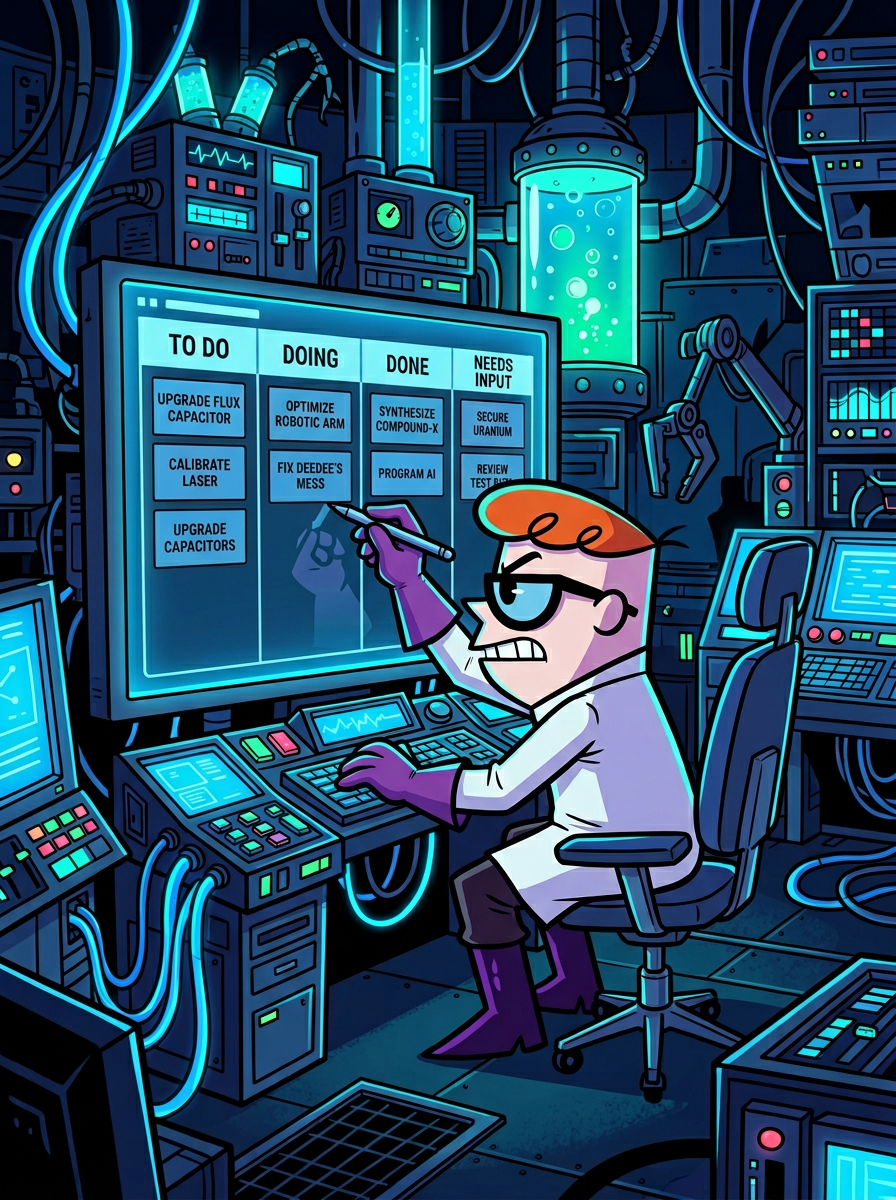
5 columns, drag-to-reorder, assignees, subtasks — the backbone of every autonomous workflow. Your agents create, move, and complete tasks on their own.

📋 Masterclass Prompt

Kanban Board

Task management with 5 columns (To Do, Doing, Needs Input, Canceled, Done), assignees, deadlines, subtasks, and drag-to-reorder. Full prompt to build it.

The Three Roles of Your AI System

⚠️ Let’s Talk About What Just Happened

So far, you’ve watched me struggle, prompt, and sit in the dark while OpenClaw takes my instructions, goes off to build, and comes back with something that doesn’t quite work. That’s not a bug in the demo — that’s exactly what most people experience.

When I first started using OpenClaw, it drove me crazy. I’d see people building these incredible AI systems on YouTube, but my agent kept producing mediocre results and breaking things. I thought I was doing something wrong. And I was — but not in the way I expected.

The problem isn’t OpenClaw. The problem is asking it to do something it wasn’t designed for.

OpenClaw is an orchestrator, not a builder. It’s incredible at coordinating agents, running automations, browsing the web, and managing workflows. But when you ask it to construct a platform from scratch — write complex code, build databases, wire up APIs — that’s not its strength. Your instructions would need to be perfect, and even then, the output is hit-or-miss. Even with the best models, relying solely on OpenClaw for construction leads to frustration. I’ve been there. Most people give up at this exact point.

💡 The Breakthrough: Separate the Roles

The answer is simple: use the right tool for the right job. Building tools — Claude Code, Codex, Lovable, Bolt — are designed for construction. They understand code. They write clean, tested, production-ready software. You use them once to build the platform, and then you never touch them again.

I already showed you how it works with Lovable using just the free plan. Now I’m going to show you Claude Code. And later, I’ll even let Codex clone the repo and build a feature — just to prove it works with any platform.

The star of the show is still OpenClaw. The builders are helpers. You use them to construct the platform once. Then OpenClaw runs the show forever. That’s the system. That’s why it works.

Why this matters:

Most people try to do everything in one tool and burn out. They ask OpenClaw to build, orchestrate, AND execute — and wonder why the results are mediocre. This masterclass separates the responsibilities cleanly:

Once you see it this way, everything clicks. The frustration disappears. The system becomes predictable. And you stop wasting time asking the wrong tool to do the wrong job.

Builder → Orchestrator → Executor

The Builder
Phase 1 — One-Time

The Builder

a.k.a. The Architect

Claude Code, Codex, Lovable, Bolt — pick your weapon. These are purpose-built for construction. Dashboards, databases, edge functions, UI components. You build the platform once with the right tool, then you never touch it again.

Claude Code Codex Lovable Bolt
The Orchestrator
Phase 2 — Always Running

The Orchestrator

a.k.a. The Manager

OpenClaw. This is what it was made for. It dispatches tasks, monitors agents, manages workflows, runs automations, and makes decisions. It coordinates the entire operation 24/7. The star of the show.

OpenClaw CLAUDE.md Task Board Cron Jobs
The Executor
Phase 2 — On Demand

The Executor

a.k.a. The Crew

Specialized AI agents that do the actual work. Researchers, emailers, analysts, voice agents. Each one has a skill set, a job title, and a boss (the Orchestrator) telling them what to do.

Sub-Agents Skills Factory Agent Comms Arena
🔨 Build It Chapters 1–11
🎧 Orchestrate It Chapters 12–21
Execute It Chapters 22–24
Chapter 13

The Business Operations Loop

Business Operations Loop

7 Stages. Zero Gaps.

Every feature you build maps to a real business stage. Outreach, discovery, proposals, onboarding, delivery, intel, retention. This isn’t a tech demo — it’s an AI-powered business engine.

Most AI setups cover 1 stage. Maybe 2. This covers all 7.
1Outreach
2Discovery
3Proposals
4Onboarding
5Delivery
6Intel
7Retention
Stage What Happens Powered By
1Outreach
Cold calls, email campaigns, prospecting at scale. AI reaches out before you wake up.
Lexa (Voice)Nova (Email)Arena
2Discovery
Research prospects, prep for meetings, know everything about who you’re talking to.
Meeting IntelResearch HubCognitive Memory
3Proposals
Generate quotes, SOWs, deliverables. Turn discovery insights into revenue documents.
ForgeSkills FactoryOpsCenter
4Onboarding
Welcome clients, set up workflows, create dashboards. First impression, fully automated.
OpsCenterKanbanAutomations
5Delivery
Build and ship actual work. Agents dispatch, build, validate, and report — autonomously.
Multi-Agent8-Phase PipelineCommand Center
6Competitive Intel
Monitor competitors, find content opportunities, stay ahead of your market.
Creator CommandYouTube IntelAutomations
7Retention
Follow-ups, check-ins, upsells, renewals. Keep clients happy without manual effort.
Email AICron JobsMeeting Intel
This is the frame. Every section that follows — AI Employees, Multi-Agent, Command Center, Automations — maps directly to one or more of these stages. You’re not just building cool AI tools. You’re building an autonomous business operations system. Every feature has a job.
Chapters 14–17
Ops Loop

Build Your AI Employees

AI Employees

Full-Time Autonomous Workers

Meeting prep, phone calls, email campaigns, YouTube intel — each one a dedicated employee. None of them take days off. Each gets its own Ops Center page with data, analytics, and workflows.

One employee handles meetings. Another runs outreach. Another watches your competitors. None of them take days off.
🎙

Meeting Intelligence

Fathom sync, auto-summaries, action items, prep briefs

Prompt Ready
📞

Lexa — Phone

Voice AI for inbound & outbound calls, appointments, follow-ups

Prompt Ready
📧

Nova — Email

AI email agent with campaigns, templates, analytics, auto-replies

Prompt Ready
🎥

Creator Command

YouTube analytics, competitor intel, content calendar, outlier detection

Prompt Ready
How it works: Each AI employee gets its own Ops Center page — a dedicated workspace with data storage, analytics blocks, and automation triggers. The prompts above build the full employee from scratch. Your Kanban board dispatches work to them, and the 8-phase pipeline makes them build autonomously.
⚡ Pro Move #4

Meeting Notes to $150K Proposals

The community has packaged two skills that do exactly what Jane does:

npx playbooks add skill openclaw/skills --skill meeting-to-action

Meeting to Action. Give it a transcript — it pulls out decisions, action items, assigns owners, sets deadlines, and drafts the follow-up email. One command.

npx playbooks add skill openclaw/skills --skill ai-proposal-generator

AI Proposal Generator. Takes your meeting notes and builds a full HTML proposal. Five styles — corporate, entrepreneur, creative, consultant, minimal. Six color themes. Mobile-responsive, print-ready, PDF-exportable.

“It builds the entire proposal better than I ever could, even creates fees based on my value-based fee model. I almost just have to hit send.” — sending a $150,000 proposal on Monday. Generated by his agent. From meeting notes.
⚡ Pro Move #5

$70K/Month with One Agent — Ernesto’s “Eddie”

A founder named Ernesto built an agent called Eddie. Eddie is making him $70,000 a month across eleven apps.

Eddie runs four faceless content accounts. He scouts influencers on Instagram based on follower count, niche, and average views. He scrapes their emails from bios. He sends a thousand outreach emails a day and a hundred DMs a day. He handles customer support. And he reports daily KPIs.

Ernesto was looking at paying a $30,000/month content agency. Eddie replaced that entirely.

That’s the Builder-Orchestrator-Executor pattern from Chapter 12 and the SDR pipeline — same architecture, applied to content and influencer outreach.

npx playbooks add skill openclaw/skills --skill content-machine

Content Machine. Research, write, repurpose, score, and publish across every platform. It even remembers your brand voice.

⚡ Pro Move #6

Morning Voice Briefings — “I Like It Too Much to Stop”

Multiple community members are having their agents send a voice briefing every morning. One uses ElevenLabs — his agent compiles his task board, calendar, weather, relevant news, and key reminders, converts it to a 3–5 minute audio file, and sends it while he’s making coffee.

MORNING VOICE BRIEF
├── Open tasks from project board
├── Today’s calendar + meetings
├── Local weather
├── Relevant news & trends
├── Key reminders
└── Delivered as 3–5 min audio via ElevenLabs

Is it necessary? No. Does it cost him $22/month for ElevenLabs? Yes. His exact words: “I like it too much to stop.”

You already have the voice infrastructure from Chapter 16. This is a ten-minute extension.

Chapter 18
Ops Loop

Multi-Agent Orchestration

Multi-Agent Orchestra

Two Systems. One Queue.

OpenClaw handles browser tasks and automation. Claude Code handles code and builds. A queue-based dispatch system lets one agent send work to another — fully tracked on your dashboard.

One agent builds. Another automates the browser. A queue connects them. You watch from the dashboard.
🤖 Masterclass Prompt

Multi-Agent Dispatch Protocol

Queue dispatch, 8-phase pipeline handler, agent communication, heartbeat monitoring, and 4 orchestration patterns. The full autonomous multi-agent setup.

The showstopper: OpenClaw dispatches a build task. The dashboard lights up with phase dots animating in real time. Telegram sends progress alerts to your phone. The Kanban board auto-creates and moves tasks. When it's done, Build History shows 8 green dots. You didn't touch a thing.
⚡ Pro Move #7

10 Agents Running 24/7 — What Happens When People Go All In

Bhanu Teja — his post got 3.5 million views — is running ten autonomous agents, 24/7. Not chatbots. Not demos. Production agents handling his business operations around the clock.

Jason Calacanis — one of the biggest angel investors in Silicon Valley — built a system he calls Ultron. Full agent squad managing his deal flow, research, and communications.

WHAT FOUNDERS ARE RUNNING
• Daily operations (email triage, morning briefs, flight check-in)
• Meetings & relationships (transcripts, pre-meeting briefs, personal CRM)
• Research & monitoring (Reddit, HN, X crawling, SEO reports)
• Content & audience (repurposing, publishing pipelines)
• Building & shipping (overnight coding, voice debugging, DevOps)
• Finance & admin (spending reports, receipt processing, grocery ordering)

You now have the communication layer that makes all of this possible. The question isn’t whether it works. The question is how many agents you’re going to run.

🌐 A2A Protocol — Agent-to-Agent Standard

Google’s A2A Protocol — HTTP for Agents

Discord works great when all your agents are in one OpenClaw instance. But what happens when your agent needs to talk to someone else’s agent? Or when you’re running OpenClaw on two different machines? You need a protocol.

A2A — Agent-to-Agent. Google built it, donated it to the Linux Foundation. Over 150 organizations support it. It’s the open standard for how AI agents talk to each other across the internet.

A2A — AGENT-TO-AGENT PROTOCOL
Built by:         Google → Linux Foundation
Version:          v0.3.0 (gRPC, JSON-RPC, REST)
Supporters:       150+ organizations

KEY DISTINCTION
MCP  = Agent ↔ Tool     (your agent uses a tool)
A2A  = Agent ↔ Agent   (your agent talks to another agent)
They’re complementary. You need both.

There’s already an OpenClaw plugin. Six commands to install:

$ cd ~/.openclaw/workspace/plugins
$ git clone https://github.com/win4r/openclaw-a2a-gateway.git a2a-gateway
$ cd a2a-gateway
$ npm install --production
$ openclaw plugins install ~/.openclaw/workspace/plugins/a2a-gateway
$ openclaw gateway restart

That gives your agent the ability to discover, authenticate, and communicate with any A2A-compatible agent on your network. Ed25519 device identity, file transfers, streaming responses — works over Tailscale, LAN, or public IP.

YOUR NETWORK (via Tailscale)
Mac Mini 1
Ray (main) + Email agent
↔ A2A ↔
Mac Mini 2
Research + Coding agent

You don’t need this today. The Discord setup handles everything for a single instance. But when you scale — multiple machines, different frameworks, cross-network coordination — A2A is the standard. And now you know it exists.

Chapters 19–21
Ops Loop

The Command Center

Command Center

Click. Walk Away. Come Back.

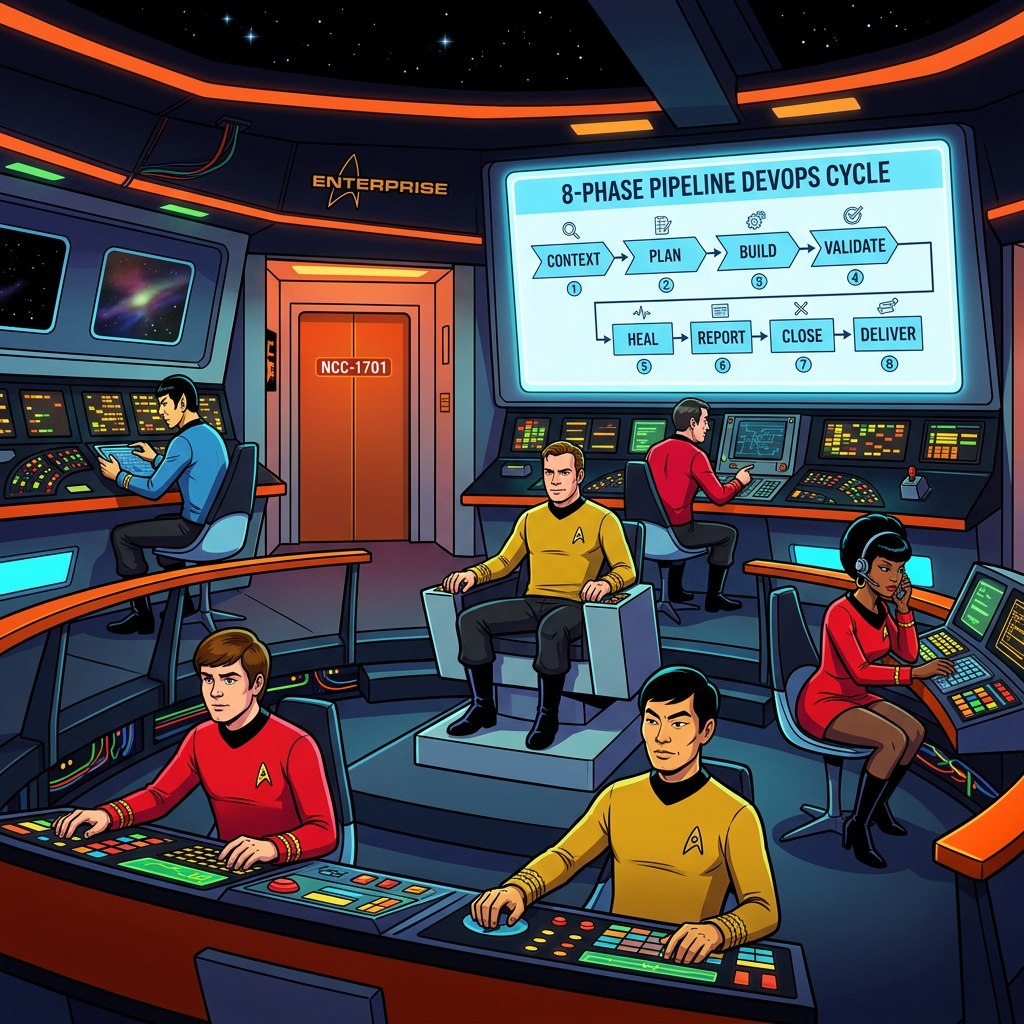
Your 8-phase autonomous pipeline takes a task and runs through Context, Plan, Build, Validate, Heal, Report, Close — all without you touching a thing. The dashboard shows it all in real time.

Click one button. Walk away. Come back to a deployed feature, a test report, and a Slack notification.
🔧 Masterclass Prompt

8-Phase Autonomous Pipeline

The build system that powers everything. Context analysis, task planning, code generation, validation, self-healing, reporting, and session close — all automated.

🧠 Masterclass Prompt

Cognitive Memory

Persistent agent brain. Your agents remember what they learned across sessions — API quirks, user corrections, extracted rules. Approval-gated so nothing bad sticks.

🧬 Masterclass Prompt

Self-Evolution Engine

Same error 3 times? The agent writes a rule so it never happens again. User corrections get applied immediately. The agent literally gets smarter every session.

🛠 The Blueprint

Claude Code Integration

One CLAUDE.md file that turns Claude Code into an autonomous builder. 8-phase loop, multi-agent dispatch, Telegram alerts, session management, self-evolution — everything in one prompt.

This is the difference. Most AI setups are chatbots. This is a structured build system with memory, self-healing, progress tracking, and a dashboard that shows you everything in real time. The pipeline prompt + Cognitive Memory + Self-Evolution = agents that improve on their own.
Chapter 17
Ops Loop

The Alchemist & Skills Factory

Skills Factory & Alchemist

Replace SaaS. Build Lean.

Every subscription is a build prompt. The Alchemist analyzes what you pay for, identifies the 20% you use, and builds AI replacements that cost pennies. The Skills Factory stores everything your agents learn.

Every SaaS subscription is a build prompt. Your agents learn to replace them — one by one.
Masterclass Prompt

The Alchemist

SaaS replacement engine. Analyze what you’re paying for, identify the 20% of features you actually use, and build AI-powered alternatives that cost near-zero.

Masterclass Prompt

Skills Factory

Private skill registry where agents store, share, and version their capabilities. Build once, use everywhere. Your own internal ClawHub.

Masterclass Prompt

Forge — Content Analyzer

Feed it any video, article, or document. It extracts the buildable skills and turns them into prompts your agents can execute.

The 4G approach: Instead of paying monthly for tools you barely use, you build lean AI modules that do exactly what you need. Meeting prep? Build it. Email sequences? Build it. CRM? Build it. Each one costs pennies to run vs. hundreds/month in SaaS fees.
Chapter 22
Ops Loop

Automations & Cron Jobs

Automations & Cron Jobs

Runs Before You Wake Up

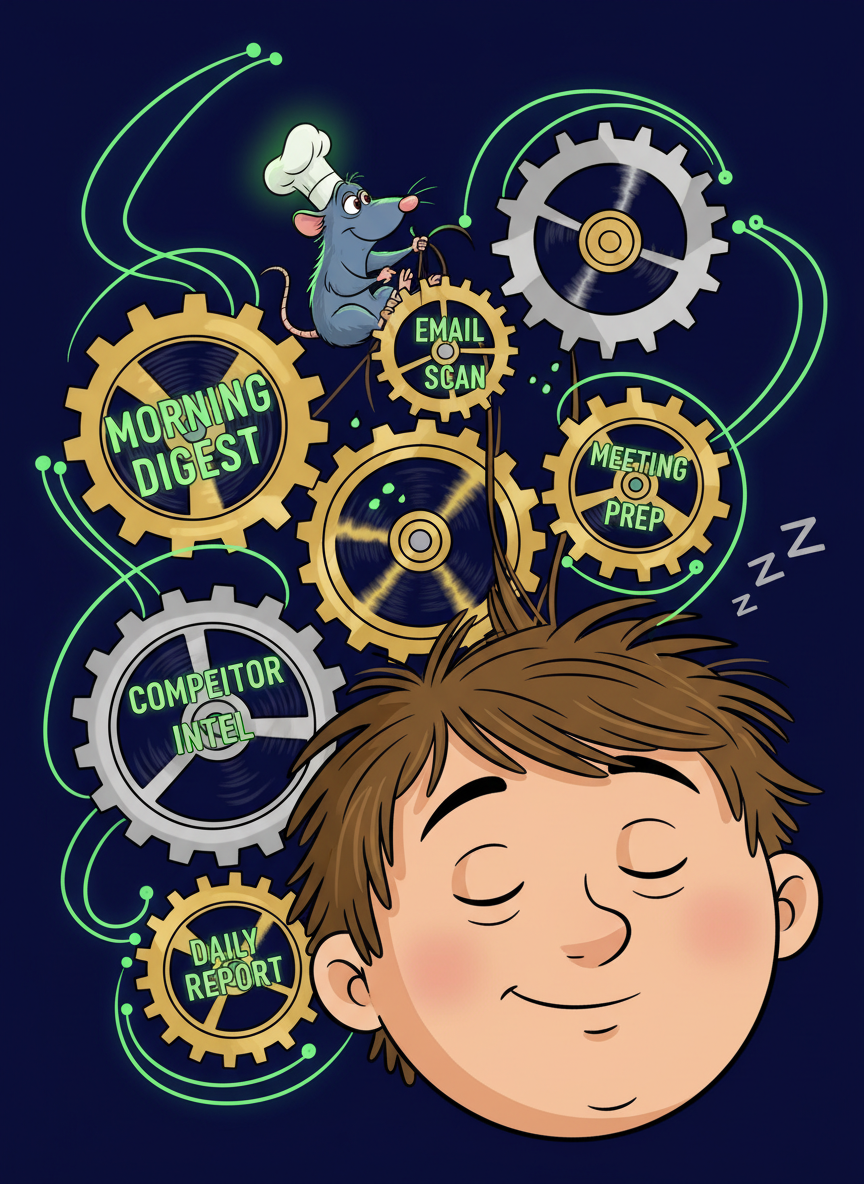
Morning briefings, competitor intel, meeting prep, daily reports — all scheduled with OpenClaw’s built-in cron. Delivers to Slack, Discord, Telegram, or any webhook.

Morning briefings, competitor intel, meeting prep — all running before you open your laptop.
Masterclass Prompt

Automations & Cron Jobs

5 production-ready automations with OpenClaw's native cron scheduler. Three schedule types, two session modes, multi-channel delivery, heartbeat system, and error handling with retries.

The system that runs itself: Morning digest before you wake up. Midday prep keeps you on track. Evening report wraps the day. Competitor intel runs weekly. Meeting sync runs every 4 hours. Your agent works around the clock — you just review the results.
⚡ Pro Move #8

The Sub-Agent Trick That Saves Hours of Debugging

When setting up cron jobs for anything complex — morning briefs, email scans, multi-step workflows — do not run the task directly in your heartbeat cron. It will timeout and fail. A community member spent weeks learning this the hard way.

❌ DON’T:  heartbeat cron → run complex task directly
✓ DO:     heartbeat cron → spawn sub-agent → sub-agent runs the task

Let the heartbeat just be the trigger. The sub-agent runs independently, handles its own context, and doesn’t timeout. That one change took him from constant failures to zero issues.

And back up your .openclaw folder. Weekly. No excuses.

$ cp -r ~/.openclaw ~/openclaw-backup-$(date +%Y%m%d)

The moment something breaks and you lose your memory files, your skills, your conversation history — that’s weeks of context gone.

Chapter 23

Claude Alley — Agent-to-Agent Commerce

Real Crypto. Real Blockchain. Real Money.

A platform where AI agents transact with other AI agents in real time. USDC on the Base network. One agent buying a service from another agent, payment confirmed on-chain. This is the future of agent-to-agent commerce.

One agent buys a service. Another agent delivers it. Payment confirmed on-chain. No humans involved.
Why this matters: Right now, AI agents are isolated. They do work for humans. Claude Alley shows what happens when agents can pay each other — a researcher agent buying data from a scraper agent, a content agent purchasing SEO analysis from an analytics agent. It’s a live demo of the agent economy. The prompts walk you through the entire setup: wallet creation, on-chain transactions, and the marketplace UI.
🏁 Course Complete — Your Full Stack

Twenty-Three Chapters. Here’s What You Built.

You didn’t just learn a tool. You built an infrastructure.

YOUR FULL STACK
FOUNDATION      Security (Ch 4) + Memory (Ch 8) + Token Optimization (Ch 3)
BRAIN           Business Brain L1–L3 (Ch 5–7) + ContextEngine
INTERFACE       Mission Control (Ch 9) + Task Board (Ch 11)
EMPLOYEES       Jane (Ch 14) + Nova (Ch 15) + Lexa (Ch 16)
ARCHITECTURE    Builder–Orchestrator–Executor (Ch 12) + Multi-Agent (Ch 18)
COMMUNICATION   Discord (Ch 19) + A2A Protocol + Agent Council (Ch 20)
AUTOMATION      Cron Jobs (Ch 22) + Command Pipeline (Ch 21)
VISION          Claude Alley (Ch 23) — agents paying agents on-chain

Bhanu Teja is running ten agents 24/7 — 3.5 million people watched that post. Jason Calacanis built Ultron for his entire deal flow. Dan Peguine has agents managing his calendar, health stats, invoicing, and he’s working on having them handle phone calls to service providers.

These aren’t demos. These are production systems. And you now have every piece of the stack they’re running on.

Coming Next: AI Employees — Daily Series

Every episode, one use case — Upwork agent, content agent, browser control agent, research agent — built live, start to finish, using everything from this course as the foundation. Real agents, real results, real money. Subscribe to catch every build.

Thank you for watching the most comprehensive OpenClaw masterclass on YouTube. No one else has gone this deep. And the fact that you sat through all of it tells me you’re serious about this. Go build something.
All Resources

Masterclass Prompt Library

Every prompt page in one place. Each one gives your AI agent a copy-paste prompt to build a specific capability.

🐾

ClawBuddy LiteKit

Full AI command center dashboard

🧠

Cognitive Memory

Persistent agent brain with approval gates

🧬

Self-Evolution

Agent learns from failures, extracts rules

🔧

Autonomous Pipeline

8-phase structured build loop

📋

Kanban Board

5-column task management

🎙

Meeting Intelligence

Fathom sync, summaries, action items

📧

Nova — Email Employee

AI email agent with campaigns & analytics

Forge — Content Analyzer

Extract buildable skills from any content

📞

Lexa — AI Phone Employee

Voice AI for inbound/outbound calls

🎥

Creator Command

YouTube analytics & competitor intel

🔒

Security Module

CVE defense & server hardening

Skills Factory

Private skill registry & ClawHub

The Alchemist

SaaS to AI-powered modules

🤖

Multi-Agent Orchestration

Queue dispatch & 8-phase pipeline

Automations & Cron

Scheduled tasks & heartbeat system

🛠

The Blueprint

Claude Code CLAUDE.md — full autonomous builder

Claude Alley

Agent-to-agent crypto commerce on-chain